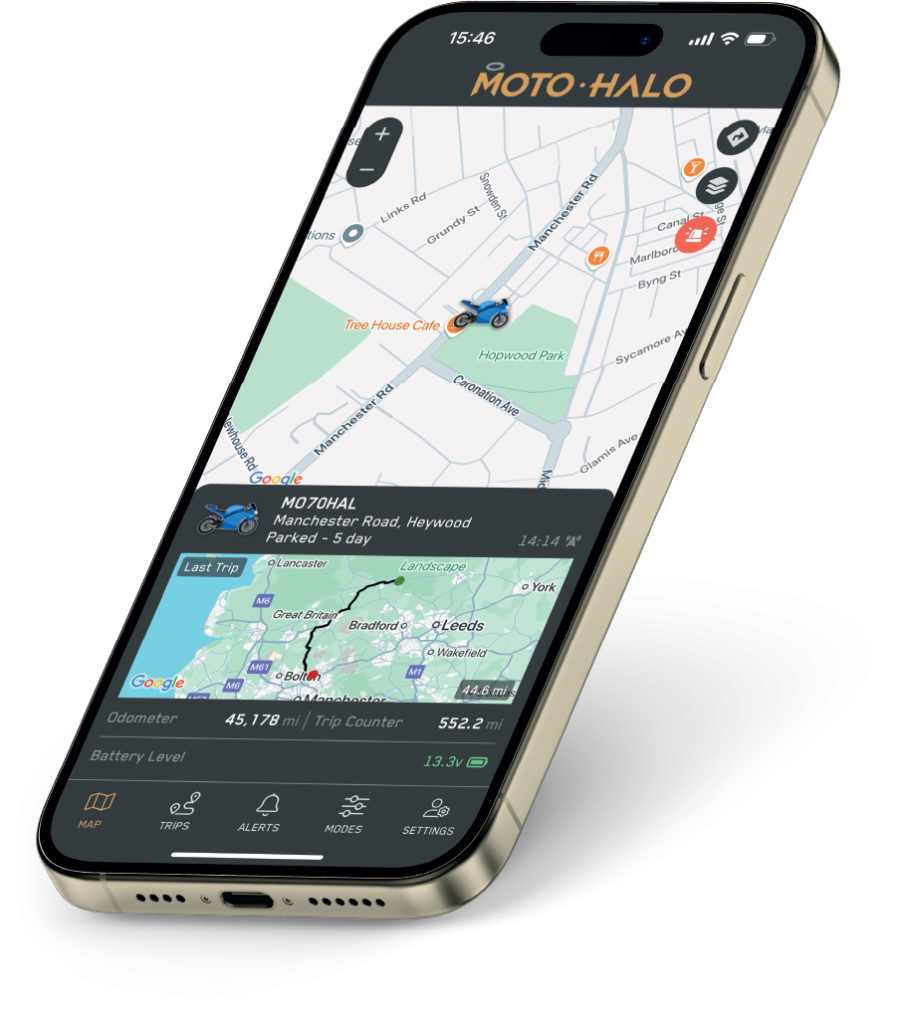
What You Can Do in the App
Keep an eye on your motorcycle, car, van or leisure vehicle from one account. Available features depend on the tracker connected to your vehicle.
Check Vehicle Location
See your vehicle’s latest reported position and use frequent-update mode when you need more detailed tracking.
Receive Security Alerts
Receive alerts when unexpected movement, lifting, tampering, an engine start or a battery-status change is detected. S7 Pro adds monitored phone and SMS alerts.
Review Every Journey
Open daily trip summaries with start and end locations, route maps, distance, travel time and journey-speed information.
Manage Your Account
Add and switch between vehicles, adjust supported tracker modes, manage subscriptions and access billing information from the app.
How to Activate Your Tracker
Have your tracker or installation information ready, then complete these steps in the Moto Halo app.
1. Download and sign in
Install Moto Halo from the Apple App Store or Google Play, then create an account or sign in.
2. Add your tracker
Follow the in-app prompts to add your device. Scan or enter the requested tracker details when prompted.
3. Add your vehicle
Enter the vehicle information requested by the app and check that the correct Lite or S7 Pro device is selected.
4. Select the correct plan
Choose the subscription offered for your tracker and complete activation. Each connected device has its own subscription.

Before You Begin
- Make sure your tracker is installed and receiving power.
- Keep the device or installer information nearby.
- Allow notifications so important movement alerts can reach your phone.
- S7 Pro customers should follow any handover instructions provided by the installer.
Choose Your Subscription
An active subscription is required for full tracker functionality. The correct options and current prices are shown during activation; do not select a plan intended for a different tracker.
Moto Halo Lite Subscription
For the self-install Moto Halo Lite. Activate the device in the app to access location tracking, journey history and supported vehicle alerts.
Plan: Choose the current Lite monthly or annual option shown during activation.
Moto Halo S7 Pro Subscription and Monitoring
For the professionally installed, Thatcham-approved S7 Pro. Its service includes 24/7 monitoring and supported phone and SMS security alerts alongside the app.
Plan: Choose the current S7 Pro option shown during activation or follow your installer’s instructions.
Need Help Getting Started?
If you cannot add your tracker, complete activation or receive expected alerts, check the FAQs or contact Moto Halo. Existing customers can also use the support options available inside the app.